Pavel KrutskoSenior Product Designer

Experience in design6y:1m:11d

Case study 03 — Propeller

One system for running a boat rental business

A B2B platform where charter companies manage their fleet, availability, bookings, customers and payments — designed to be resold to other rental businesses.

Role
Product Designer
Scope
Redesign, brand, responsive web app, design system on MUI
Timeline
May 2024 – Jan 2025 · Iguana
Status
Live · getonpropeller.com
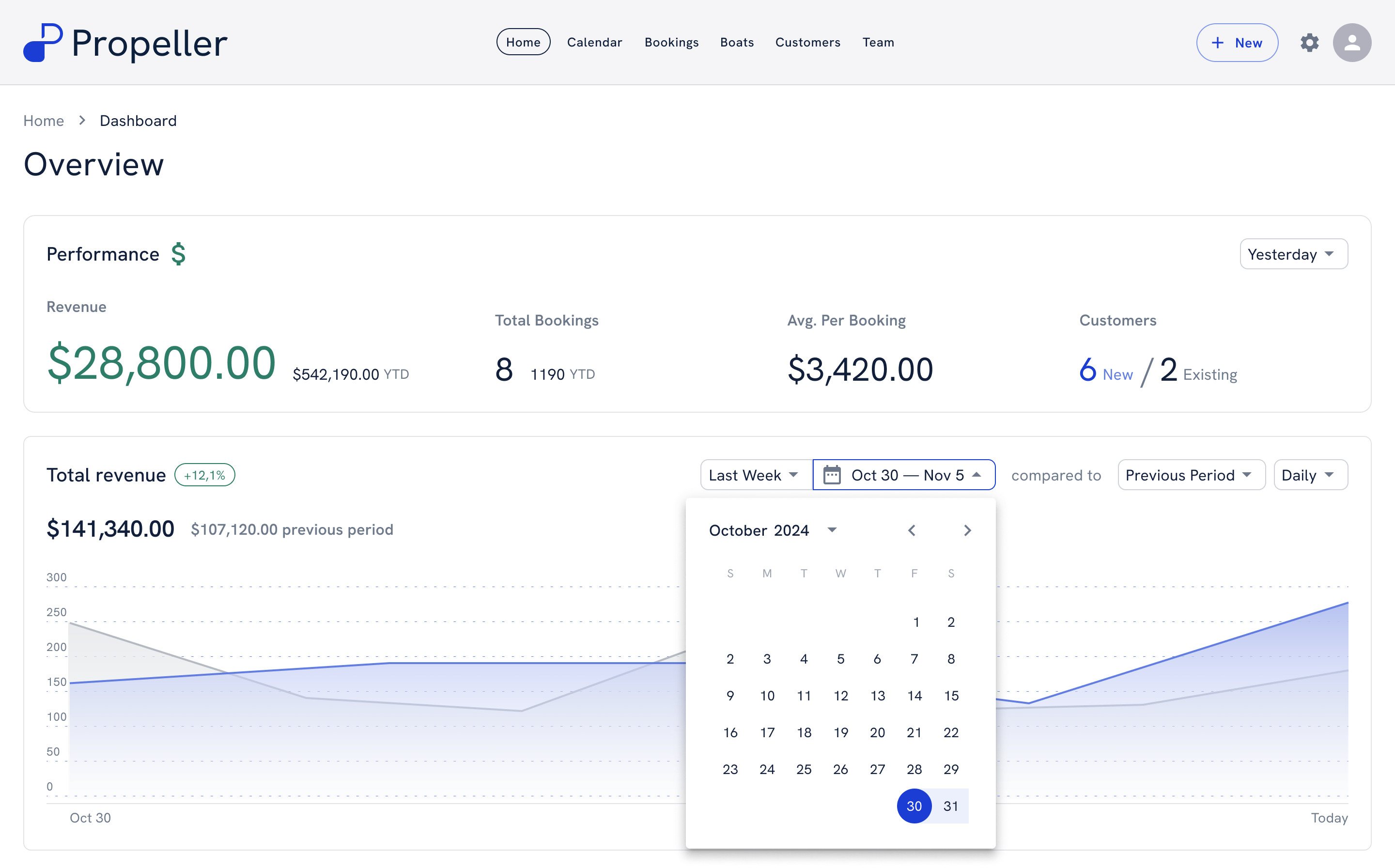
Propeller dashboard: revenue, bookings, average per booking and a revenue chart with a date picker

01 — Problem

Boat rental companies juggled bookings, availability, customers and payments across separate tools — overlapping bookings and manual reports were part of the job.

02 — My part

Redesigned the previous product from research to handoff: information architecture, every screen, the brand and the design system.

03 — Outcome

One configurable system that runs a rental company’s day — built to be resold to other businesses, and still live.

Context

A rental business runs on boats, slots and money — in too many tools.

  1. 01

    Tools everywhere

    Calendars, customer lists, spreadsheets and payments lived in different places.

  2. 02

    Overlapping bookings

    With no single view of availability, the same boat could be promised twice.

  3. 03

    Reports by hand

    Revenue and payments had to be pulled together manually.

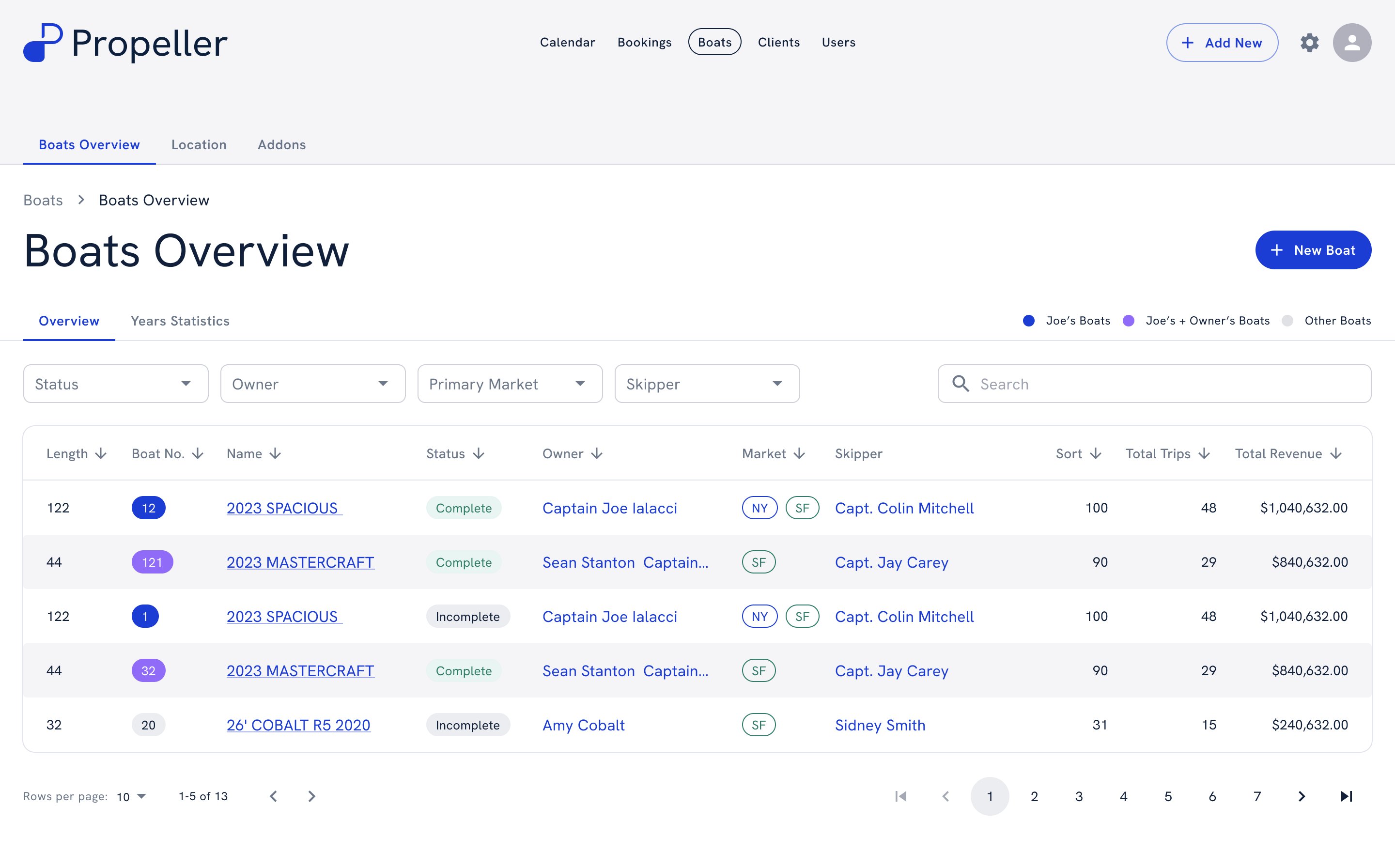
Operator — boats overview
Boats overview: the fleet as a table with status, owner, market, skipper, trips and revenue

Users

One company, three kinds of work.

01 — Runs the business

Owner

Watches revenue, the fleet and the team; sets prices and discounts.

02 — Sells the trips

Sales agent

Creates bookings, looks after customers and sends contracts.

03 — On the water

Skipper & crew

Are assigned to boats and trips, and see their own schedule.

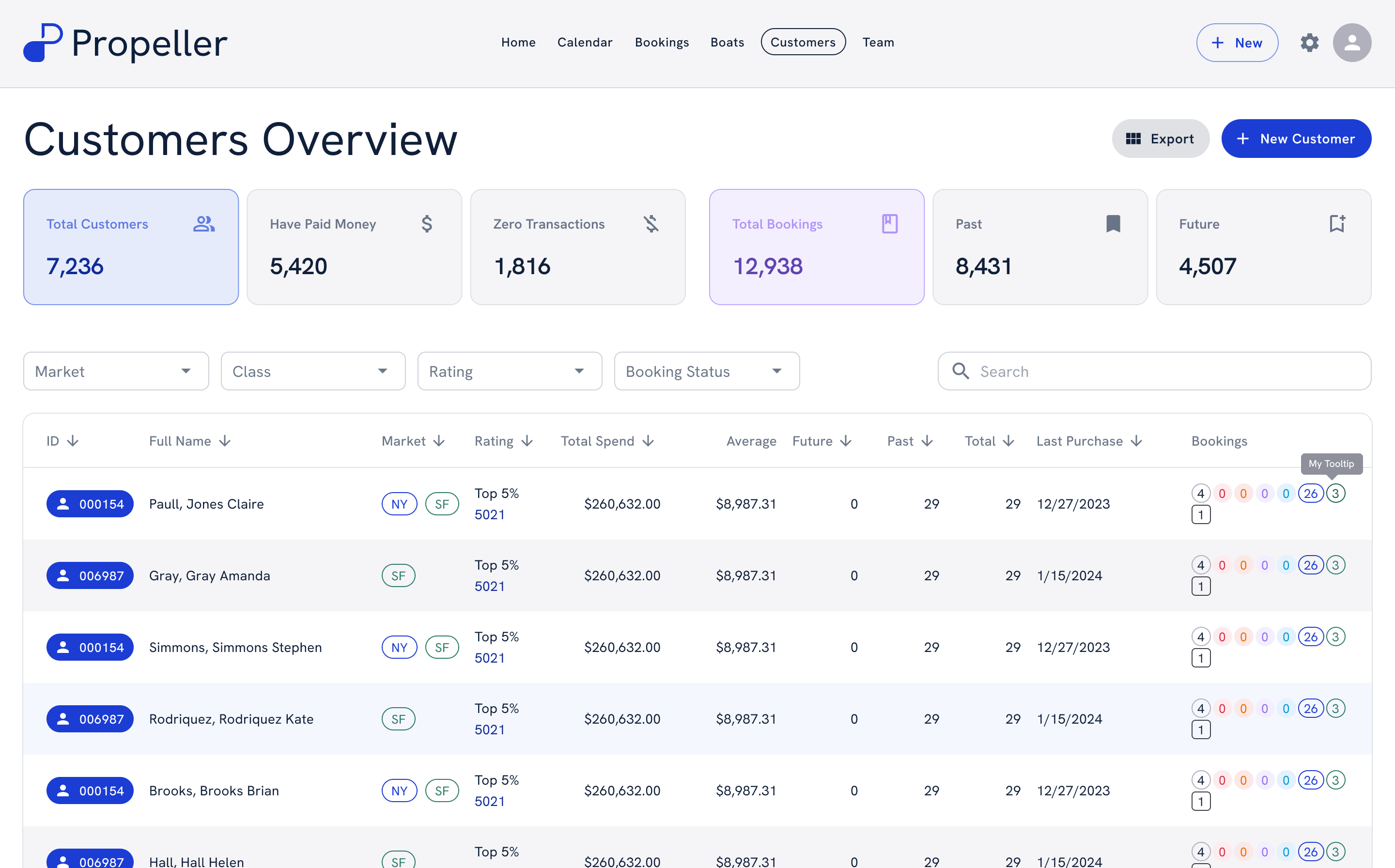
Sales — customers overview
Customers overview with totals, filters and a table of customers with spend and bookings

The core challenge

Flexible vs. simple.

The businessOperators needSo the design…
Every rental company works its own way.To run their own process, not someone else’s.Is configurable: locations, boats, prices and two booking modes.
One boat, several trips a day.To see what’s free before promising it.Keeps availability apart from bookings, by day, time slot and location.
Every booking carries money.To know what’s paid and what’s still owed.Puts price, discounts, fees, payments and balance on the booking itself.

Design decisions

Four decisions that kept a busy day simple.

Decision 01 / 04

Two ways to see bookings

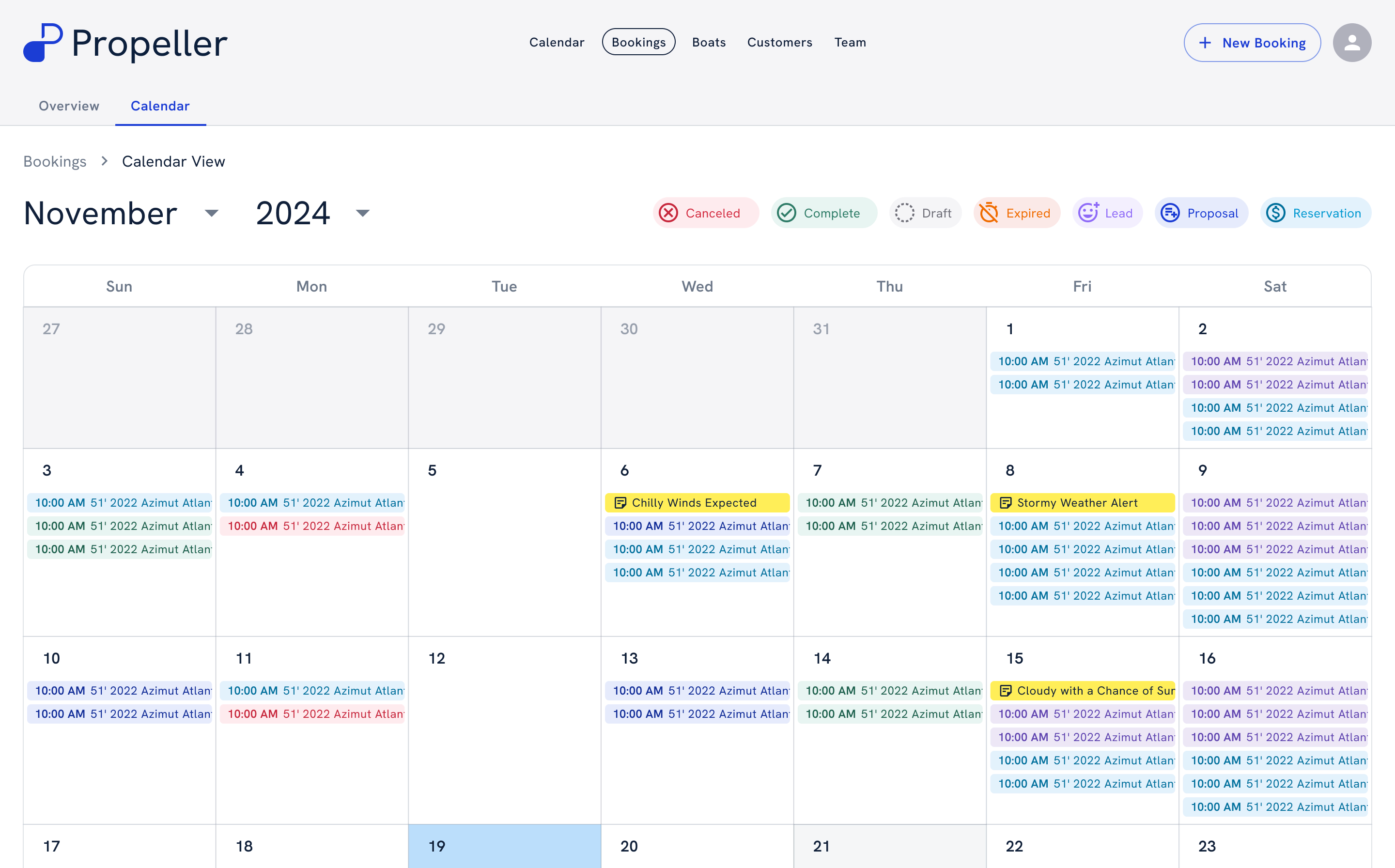
Booking management involves two different needs: handling individual reservations and understanding the overall schedule. I designed table and calendar views around these tasks, so operators can switch perspective without switching tools.
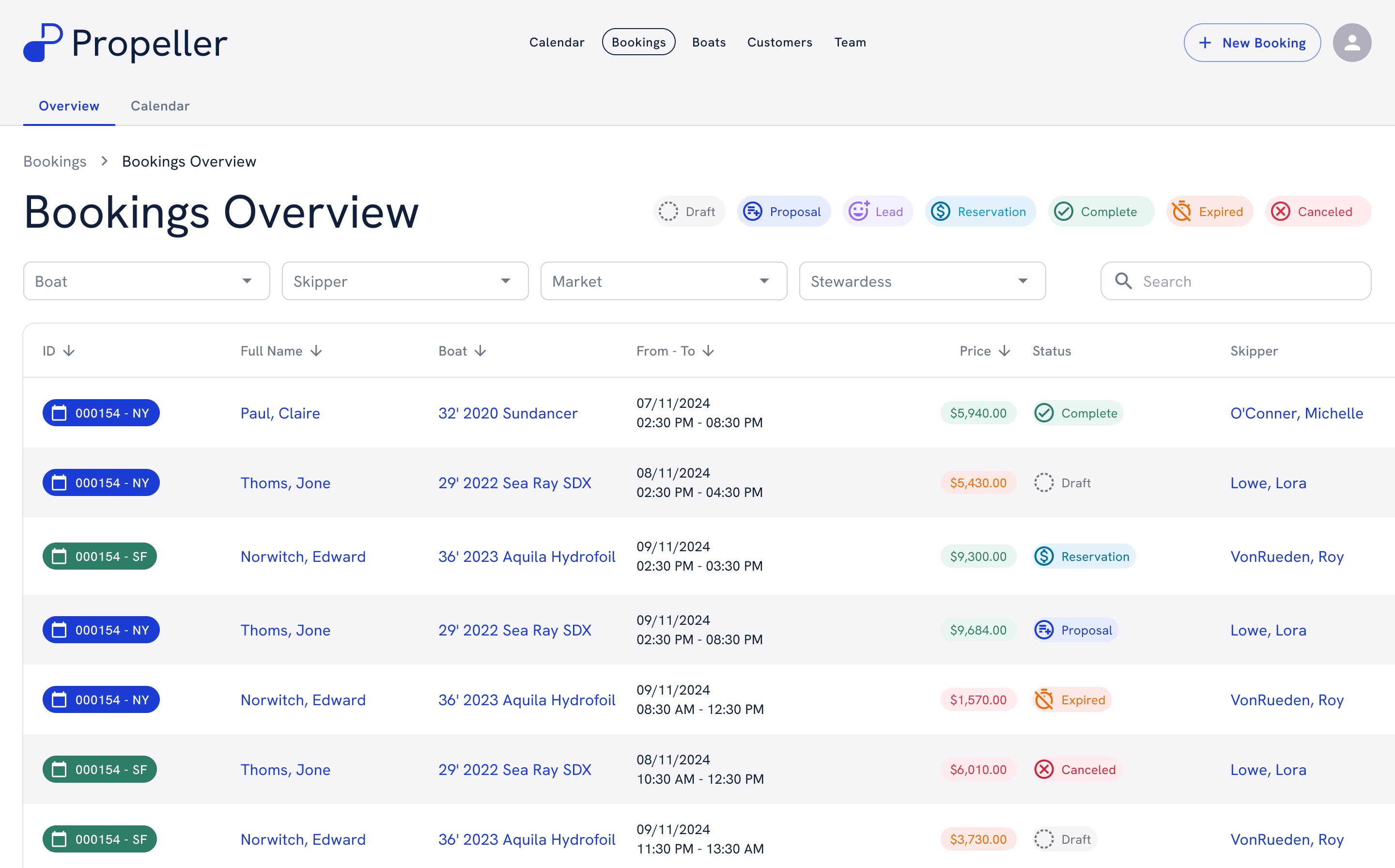
Bookings — table mode
Bookings overview as a table with statuses, boats, dates, prices and skippers
Bookings — calendar mode
Bookings overview as a month calendar with colour-coded booking statuses

Decision 02 / 04

Availability apart from bookings

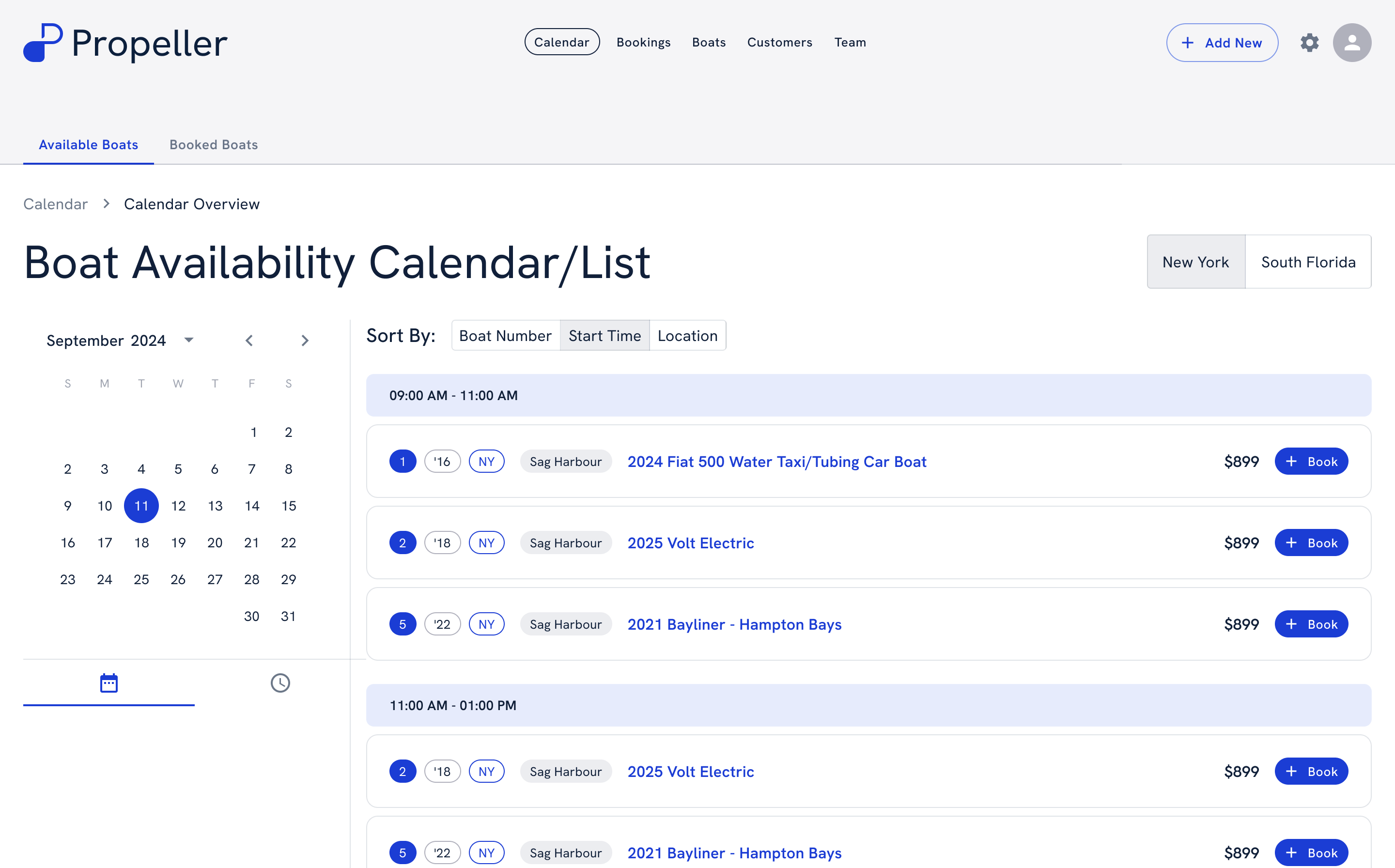
Operators check what’s free by day, time slot and location before they promise a trip — and book straight from the free slot.

Calendar — available boats
Boat availability: a month picker and free boats grouped by time slot, each with a Book button

Decision 03 / 04

One form for a new booking

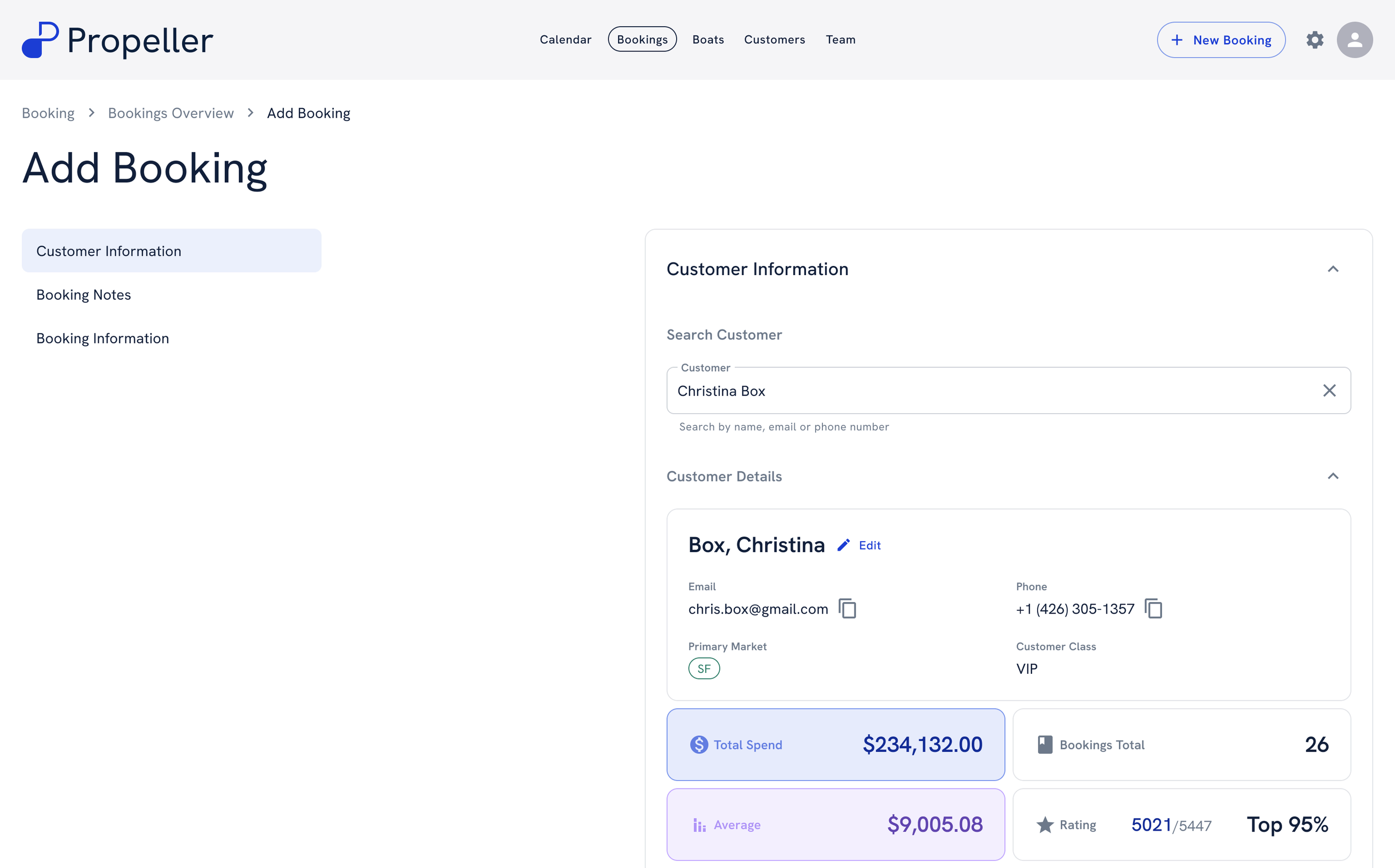
Add Booking walks through customer, notes and booking details. Picking an existing customer brings in their contacts, spend and class, so nothing is typed twice.

Sales — add booking
Add booking form with a customer search and the selected customer’s details and spend

Decision 04 / 04

The money lives on the booking

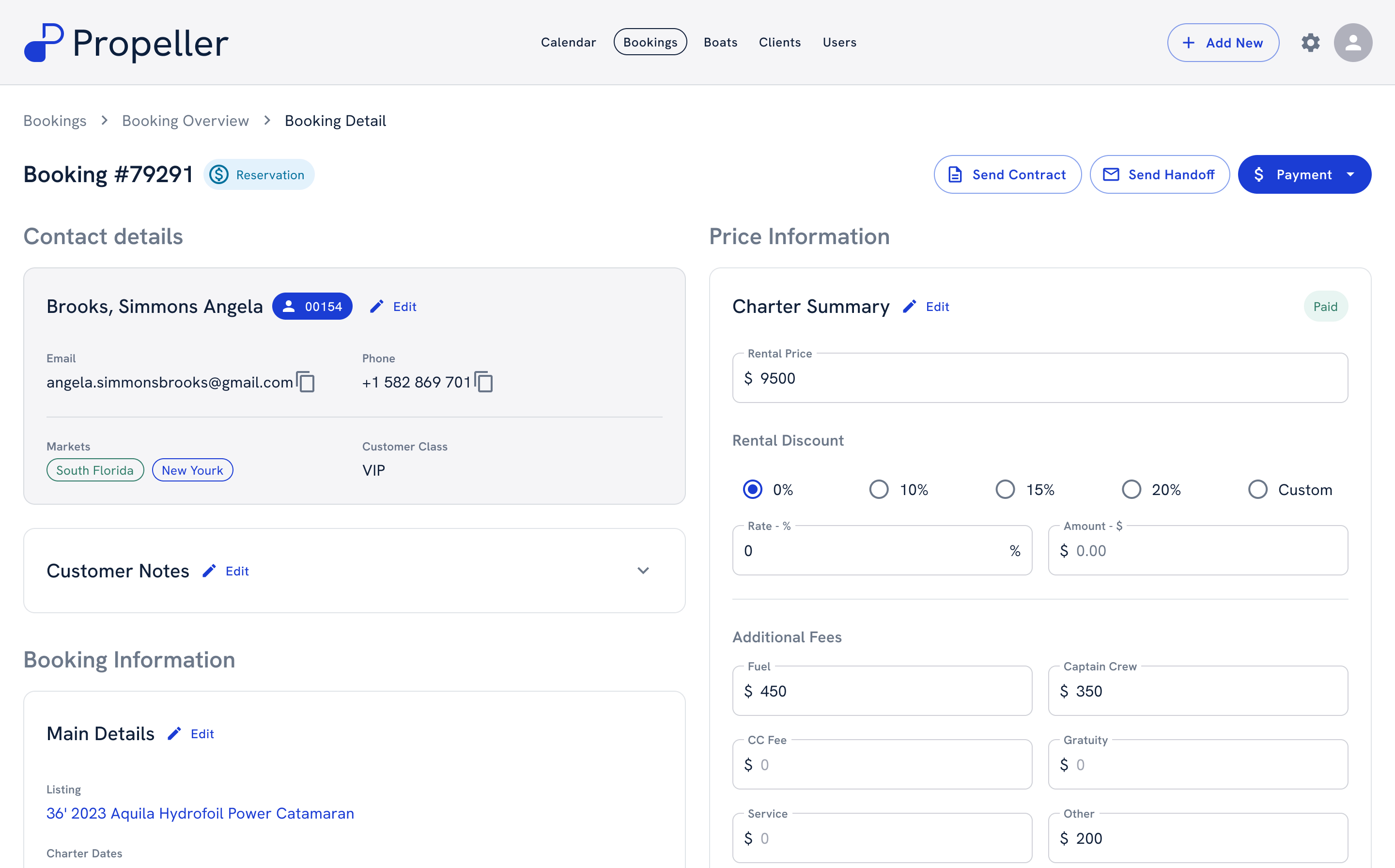
Price, discount, extra fees, payments and balance sit on the booking itself, next to the actions that move it forward — send the contract, send the handoff, take a payment.

Booking detail — price and discount
Booking detail with contact details, charter summary, rental discount options and additional fees

Boats & customers

One record for every boat and every customer.

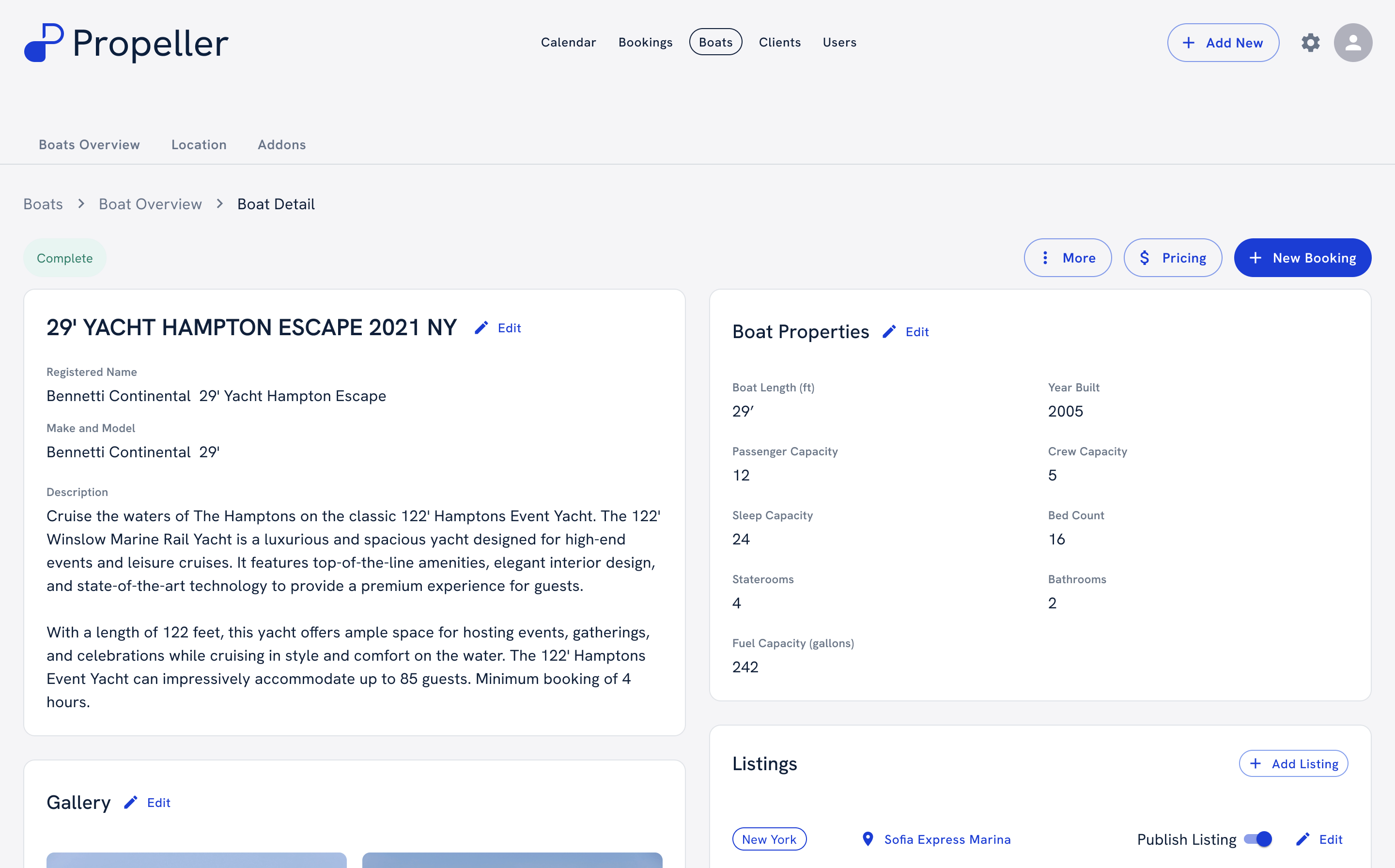
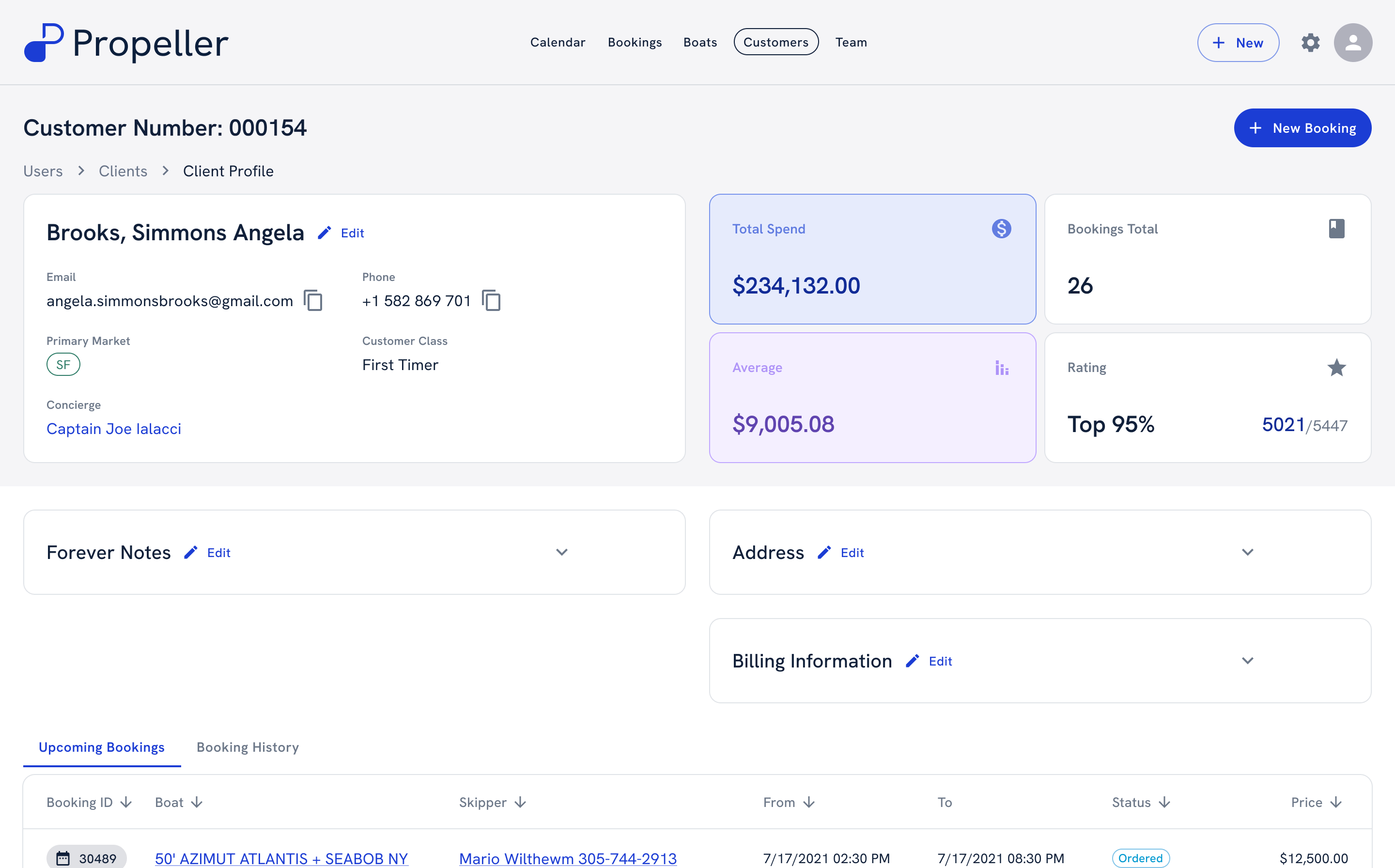
Each boat keeps its properties, gallery and listings; each customer keeps their spend, notes and booking history.

Fleet — boat detail
Boat detail page with description, properties, gallery and listings
Sales — customer profile
Customer profile with total spend, bookings, rating and upcoming bookings

Responsive

The same system on a phone.

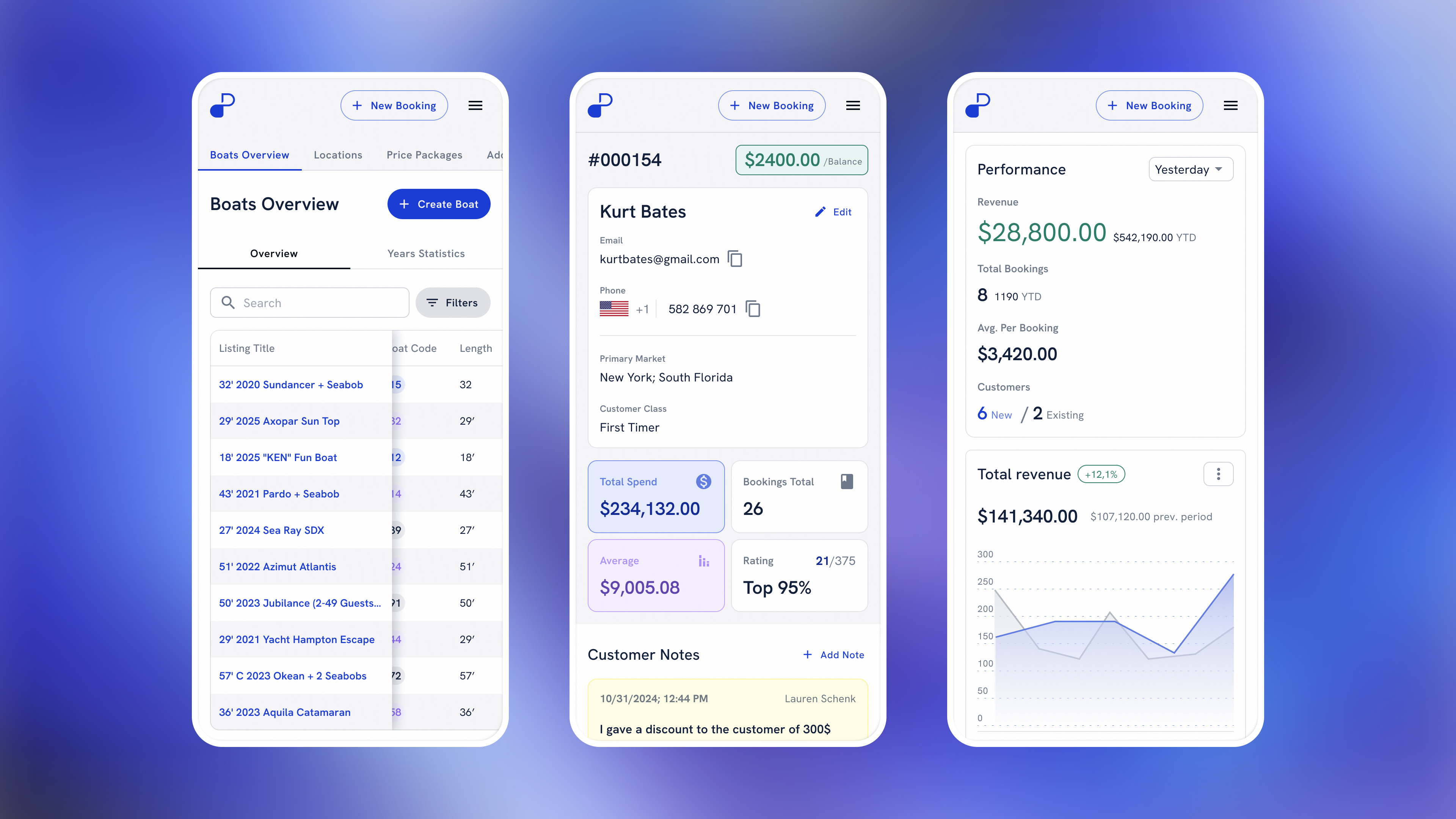
The mobile version keeps the key screens at hand away from the desk — the fleet, a customer’s balance and the day’s numbers.

Mobile — boats, customer, dashboard
Three phone screens: boats overview, a customer with balance and spend, and the performance dashboard

Brand & design system

A new identity on a reworked Material UI.

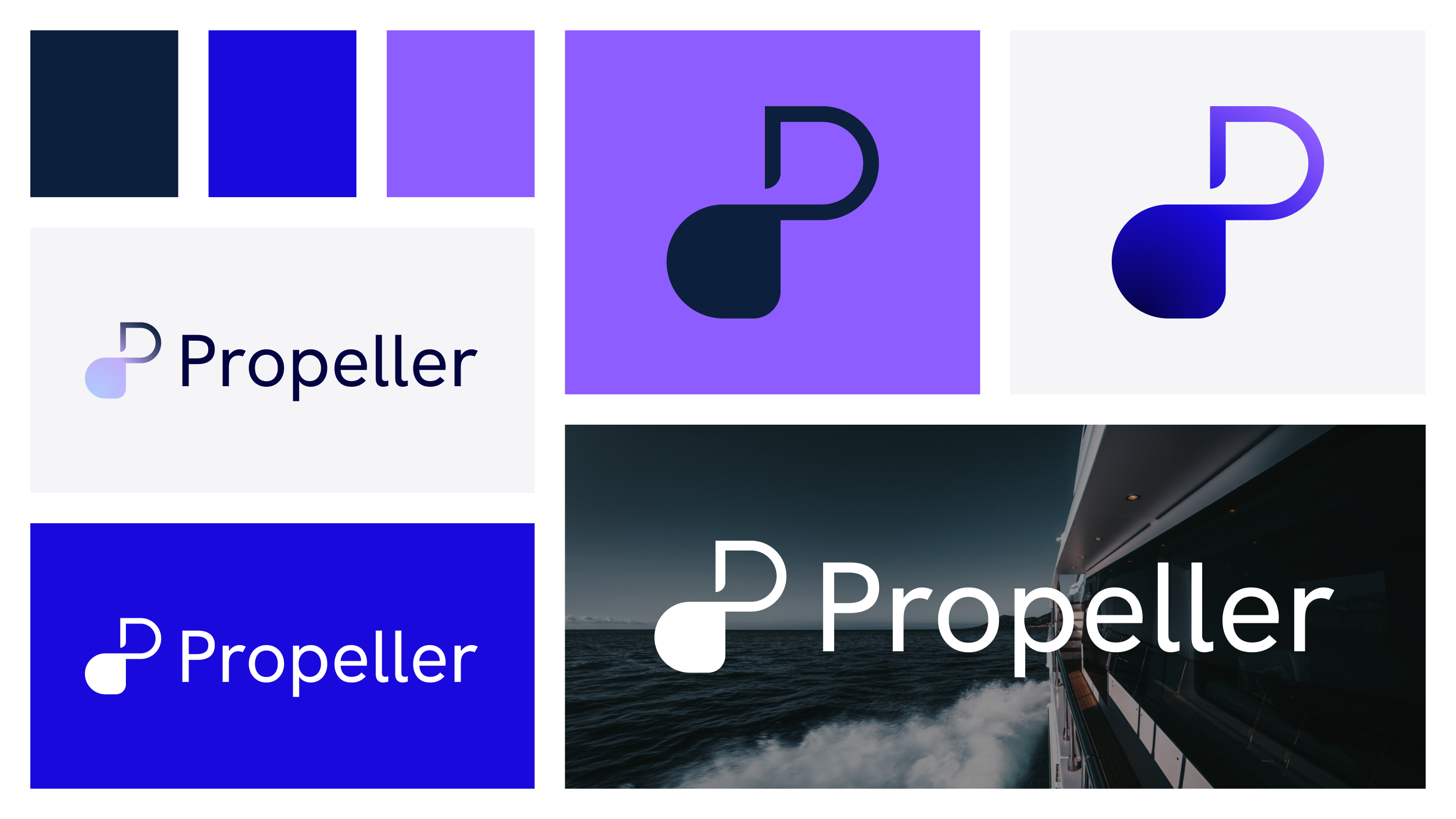
The redesign came with a new brand — mark, wordmark and palette. The component library is Google’s Material UI, reworked for Propeller on Hanken Grotesk: stat cards, buttons, chips, form fields and data tables.

Brand
Propeller brand sheet: palette, logo mark and wordmark

Outcome

One system for the whole rental business — still live.

  1. 01

    Fewer booking conflicts

    A structured availability and reservation workflow reduced booking conflicts and manual errors.

  2. 02

    The whole day in one place

    Bookings, payments and reporting moved into one system, so daily operations got faster.

  3. 03

    Built to be resold

    Propeller was designed as a configurable SaaS product and reused across several rental companies.

  4. 04

    Clearer numbers

    Financial dashboards and reports gave owners more confidence in business decisions.